Infinite AeroshowEconomy
- Monthly
- $1.95
- Yearly
- $16.2031% off
- 3D moving map, ad-free, unlimited use
- Track my flight and Explore
- Map layers, airport cards and flight info
- Boarding pass for your flight
Seat58K
See EconomySecond screen setup
Infinite Aeroshow runs in the browser, so the device beside your simulator becomes an airline-style cabin screen without an app store download. Here's how to set up each kind of screen for Infinite Flight and VATSIM.
100h First Class free · No card needed · No app to install · Sign in with Google
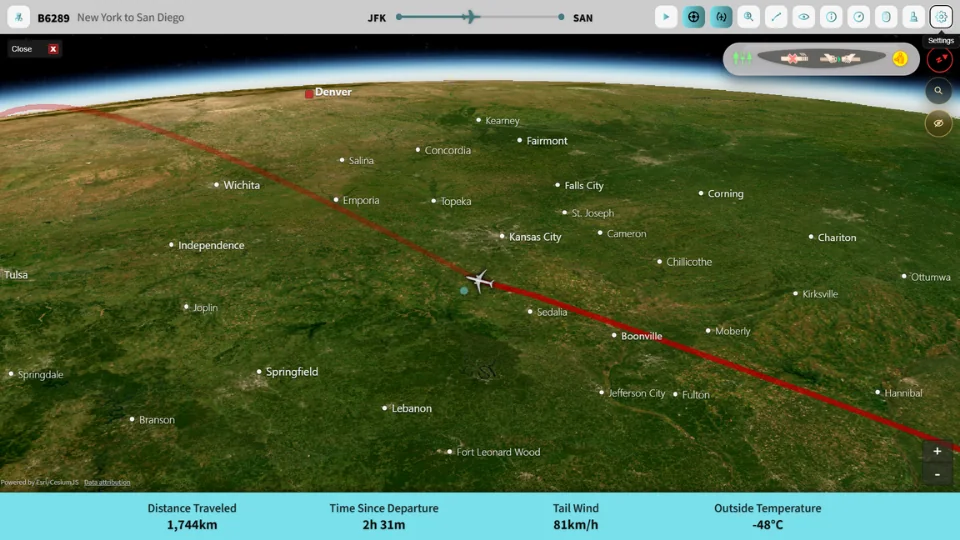
Set up
Open the same address on the device you want to use. There is nothing to download and nothing to pair with your simulator.
Open the live map in the device's browser and sign in with Google.
Choose Infinite Flight and your server, or VATSIM, then search your callsign.
Go full screen from Settings, or press F, and turn on Auto Play for a hands-off display.
Auto Play is the play button in the map's top bar. It moves between the map, the route and the flight information pages on its own.
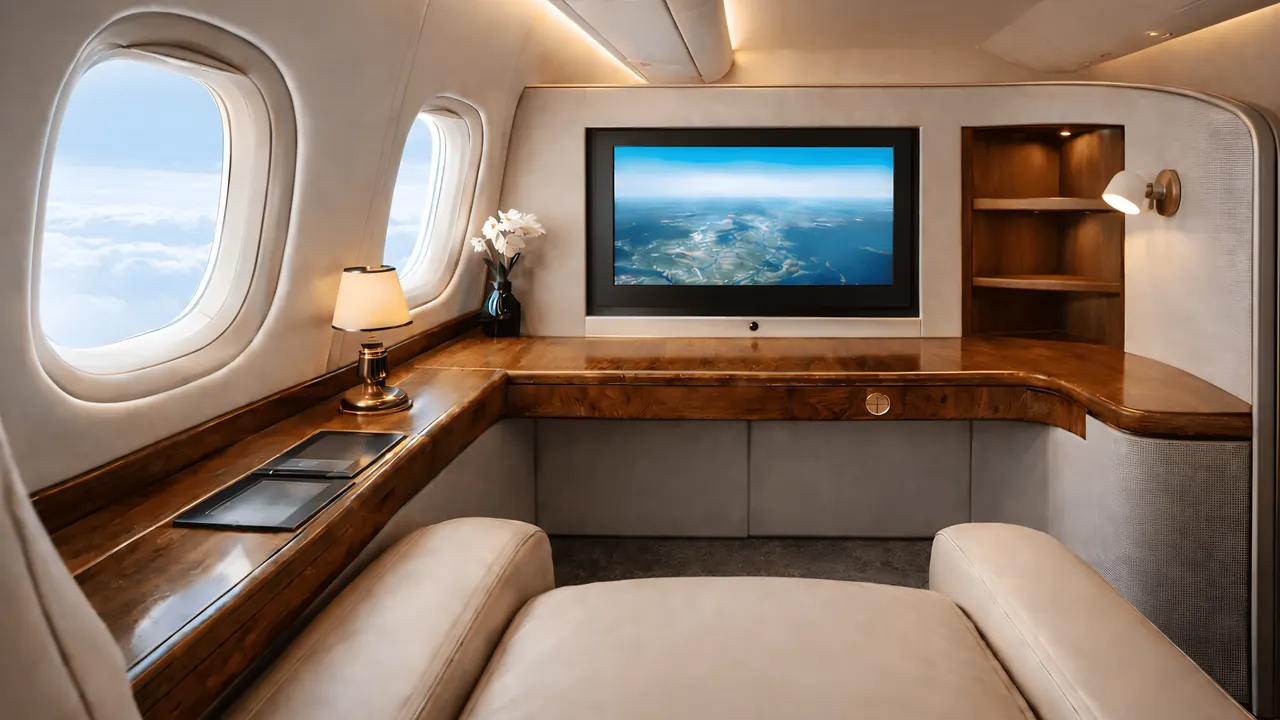
First Class turns the room into a cabin: the seat view puts the live map on a suite screen, with day or night outside.
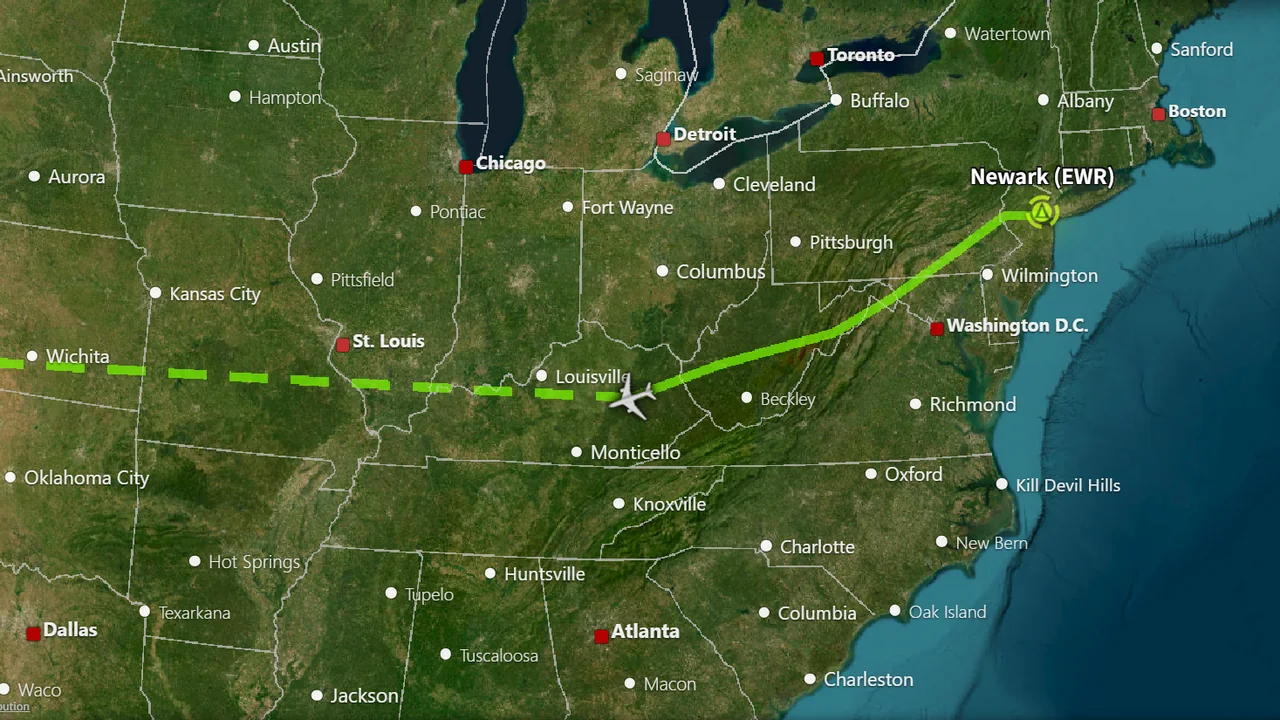
The 2D map keeps the route and the cities around you in view at kneeboard size.
The 100-hour trial and Economy play on one device at a time. First Class plays on two devices at once, and they can follow different flights: a tablet beside the yoke and the TV across the room, or your flight and a friend's.
Want someone else to watch without using your account? Open boarding with Invite and send them a link. Guests watch in their own browser through the link, not through your account. See how to share your flight live.
Phones, tablets and laptops dim and lock themselves to save power, and a locked screen can't show the flight. Before a long flight, plug the device in and set Auto-Lock on an iPad, Screen timeout on Android, or the display sleep setting on Windows or macOS to a longer time or to never. Keep Infinite Aeroshow as the visible tab, because a browser tab in the background may stop updating.
Infinite Flight's live data terms ask apps to stop downloading after 15 minutes without input. When that happens, Infinite Aeroshow switches to a seat-monitor standby screen showing the time of the last live update, and a tap, a key press or a mouse move picks the flight up again. VATSIM flights don't pause this way. If the screen is out of reach, such as a TV across the room, keep a wireless mouse or keyboard nearby.
A 3D globe asks a lot of older tablets and small TV boxes. Open Settings and try a lower Overall Performance setting or a lower city label density, and close other tabs and apps. If the picture is slow but the numbers still change, the flight itself is still updating.
The interface is available in 10 languages on every plan: English, Korean, Spanish, Brazilian Portuguese, French, German, Japanese, Simplified Chinese, Indonesian and Turkish. Pick one on the start screen or at the top of Settings.
Plans
Every account starts with 100 hours of First Class, counted from the moment you turn it on. No card needed. Prices are in USD; VAT is added at checkout where it applies.
Seat58K
See EconomyOr $99.95 once, for life
Cancel future renewals anytime; access stays until the end of the billing period. Compare every feature
FAQ
No. Infinite Aeroshow is a web app that runs in the browser, so there is nothing to download from an app store. You can add a shortcut to your home screen from the browser's menu.
You can switch between them, but a second device works much better. While Infinite Flight is in front, the browser is in the background and usually stops updating the map.
There is no TV app. The most dependable way is a laptop or small PC connected to the TV by HDMI, with the browser in full screen. Mirroring from a tablet or laptop can also work, depending on your devices.
One on the free trial and on Economy. First Class plays on two devices at once, and they can follow different flights.
Infinite Flight's live data terms stop downloads after 15 minutes without input. Tap the screen, press a key or move the mouse and the flight picks up again. VATSIM flights don't pause this way.
No. Infinite Aeroshow is an independent service by SFN Luca Co., Ltd. and is not affiliated with Infinite Flight LLC or VATSIM.
Departures
| Flight | Destination | Status |
|---|---|---|
| IA 101 | Infinite Flight live tracker | On time |
| IA 707 | How to track your flight | On time |
| IA 808 | MSFS and X-Plane moving map | On time |
| IA 909 | Share your flight live | On time |
| IA 110 | iPad, Android and TV setup | Now boarding |
| IA 220 | Flight sim passenger view | On time |
| IA 404 | Plans and pricing | Gate open |