
Infinite AeroshowEconomy
- Monthly
- $1.95
- Yearly
- $16.2031% off
- 3D moving map, ad-free, unlimited use
- Track my flight and Explore
- Map layers, airport cards and flight info
- Boarding pass for your flight
Seat58K
See EconomyGuest boarding
Open boarding on the flight you're following and send one link. Anyone who opens it can watch your Infinite Flight or VATSIM flight on the moving map, with no account, no app and no sign-in.
100h First Class free · No card needed · Guests never sign in
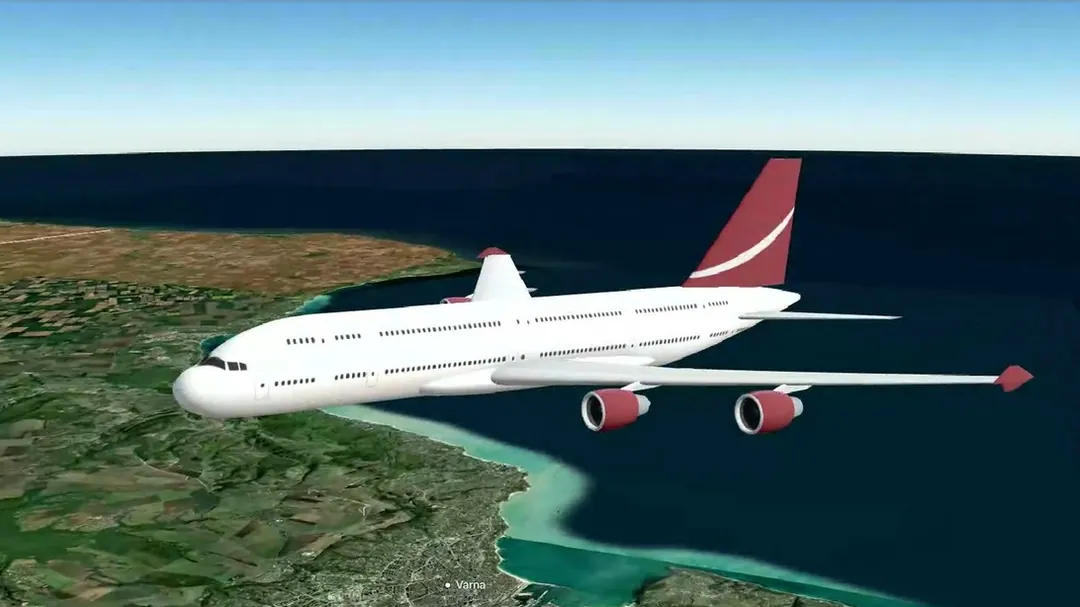
How to share
Sharing starts from a flight you're following live. Guests get that one flight and nothing else.
Sign in, choose Infinite Flight or VATSIM, then search the callsign in Track my flight.
Tap Invite, the ticket button next to the flight name, then Open boarding.
Copy it, or use Share on a phone, and paste it into Discord, a group chat or a message.
On phones and narrow windows, the Invite ticket sits next to the map's Close button instead of the flight name.
The link first shows a guest boarding pass: the callsign, departure and destination, how much of the flight is done and the arrival time in the guest's own time zone. The pass is printed in your class, Economy or First.
A moment later the moving map takes over and plays on its own, moving between the route and the flight information pages the way a cabin screen does. Guests can't change the flight, open settings or browse other traffic; they simply watch. When the flight ends, they see an arrival screen.
Chat apps that show link previews display a card with the callsign and route, so friends know what they are opening before they tap.
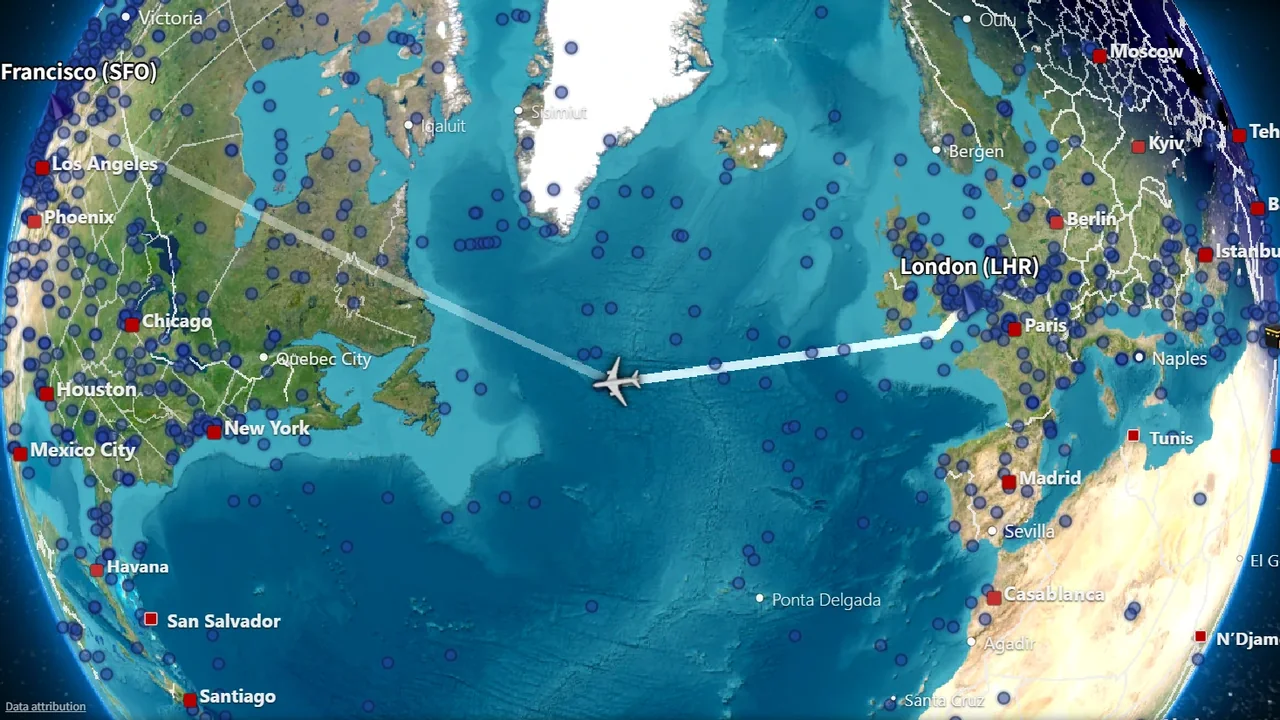
The whole route on the globe, with the part flown and the time still to go.
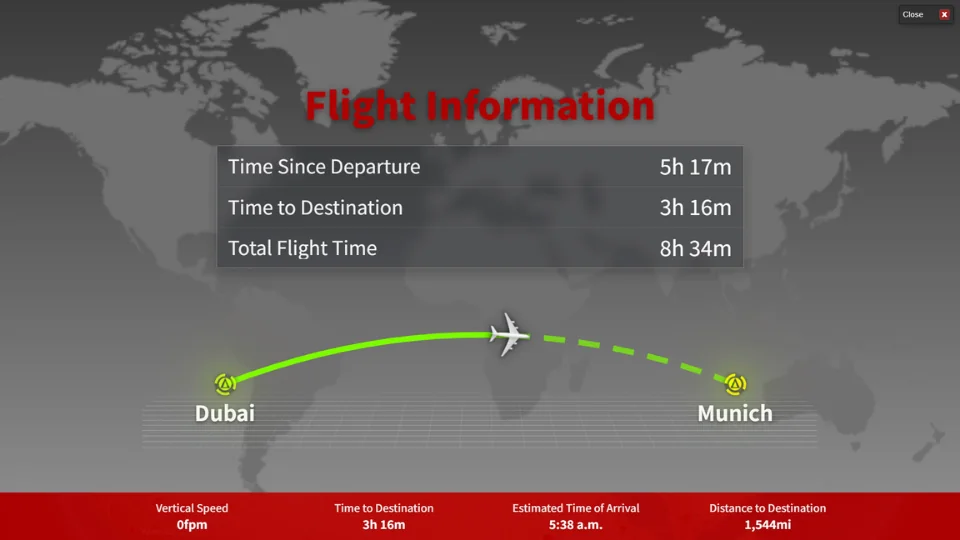
Time since departure, time to destination and total flight time, as on an airline screen.
Guests see this one flight. They never see your Google name or email address, your settings or anything else in your account. On Infinite Flight, the pass also shows the pilot name the live server shows for that flight; on VATSIM it shows the callsign only.
While boarding is open, your check-in counter shows how many guests are aboard, so you know when people are watching.
A link lasts for one flight and 24 hours at most. It closes on its own when the flight ends, and you can stop it at any time with Close boarding. New link replaces the current link and stops the old one, which helps if a link ended up somewhere you didn't intend. You have one working link at a time, and guests who open an old link see that boarding has closed.
Guest screens dim after 15 minutes without a tap or key press, and updates pause until someone taps. On a TV, keep a mouse within reach. For more on big screens, see the iPad, Android and TV setup guide.
Sharing is part of live tracking, so any member who can follow flights can open boarding: during the 100-hour First Class trial and on Economy or First Class. Guests don't need a plan, an account or the trial to watch.
Plans
Every account starts with 100 hours of First Class, counted from the moment you turn it on. No card needed. Prices are in USD; VAT is added at checkout where it applies.
Seat58K
See EconomyOr $99.95 once, for life
Cancel future renewals anytime; access stays until the end of the billing period. Compare every feature
FAQ
No. The link opens in any modern browser on a phone, tablet or computer, and guests never sign in.
Yes. Invite works the same way for flights you follow on Infinite Flight's live servers and on the VATSIM network.
No. Guests see the flight's callsign, route and progress, and on Infinite Flight the pilot name the live server shows. Your Google name and email address are never shown.
For one flight, and 24 hours at most. It also stops when you choose Close boarding or create a new link.
No. The map plays on its own for guests. They can't change the flight, the settings or the view.
No. Infinite Aeroshow is an independent service by SFN Luca Co., Ltd. and is not affiliated with Infinite Flight LLC or VATSIM.
Departures
| Flight | Destination | Status |
|---|---|---|
| IA 101 | Infinite Flight live tracker | On time |
| IA 202 | VATSIM live tracker | On time |
| IA 808 | MSFS and X-Plane moving map | On time |
| IA 909 | Share your flight live | Now boarding |
| IA 110 | iPad, Android and TV setup | On time |
| IA 220 | Flight sim passenger view | On time |
| IA 404 | Plans and pricing | Gate open |