
Infinite AeroshowEconomy
- Monthly
- $1.95
- Yearly
- $16.2031% off
- 3D moving map, ad-free, unlimited use
- Track my flight and Explore
- Map layers, airport cards and flight info
- Boarding pass for your flight
Seat58K
See EconomyFor VATSIM pilots
Connect to VATSIM the way you always do, then open Infinite Aeroshow on a tablet, laptop or spare monitor. Your flight appears on an airline-style 3D globe or 2D map with route progress and arrival time, and nothing is installed in your simulator.
100h First Class free · No card needed · No plugin · Sign in with Google
Set up
Use the simulator and VATSIM pilot client you already fly with. The second screen only needs a modern browser.
Start your simulator, connect with your VATSIM pilot client and file your flight plan.
On the second screen, sign in with Google, choose VATSIM, then search your callsign in Track my flight.
Pick the 3D globe or the 2D map and go full screen. Position, route and arrival time keep updating.
Works with any simulator connected to VATSIM: Microsoft Flight Simulator 2020 and 2024, X-Plane 11 and 12, Prepar3D and others. No SimConnect, FSUIPC or plugin.
Infinite Aeroshow never connects to your simulator. There is no SimConnect link, no X-Plane plugin and no bridge app on the simulator PC. Instead it reads the live VATSIM network: the same positions and flight plans that controllers and other pilots see.
That has practical upsides. There is nothing to install, update or fix after a simulator update. The second screen can be any device with a browser, on your home network or not, because it never talks to your PC. And the same page works whether you fly Microsoft Flight Simulator, X-Plane or Prepar3D. The trade-off is simple: your flight shows only while you are connected to VATSIM.
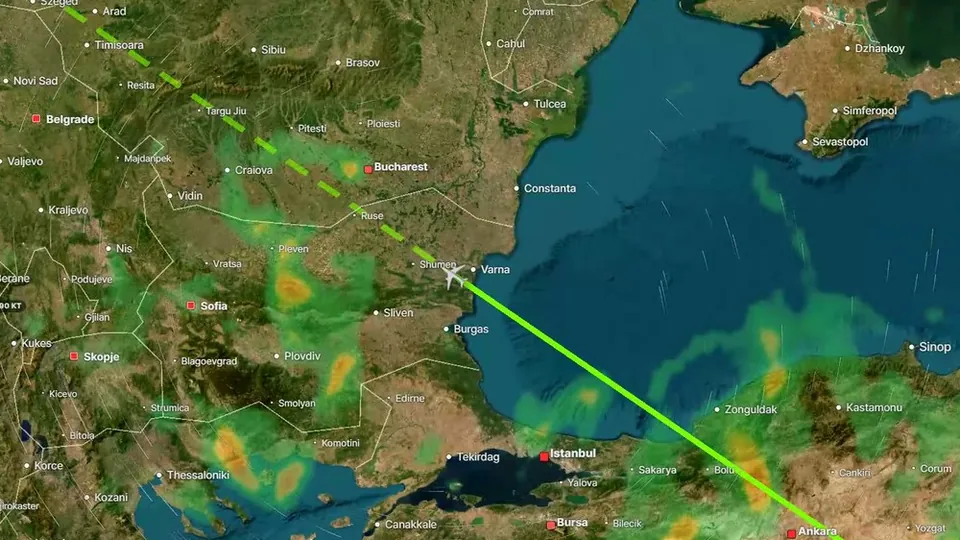
Track my flight follows your callsign and keeps the cabin-screen essentials in view:
Economy brings the information pilots use on long flights: weather radar and winds aloft layers, North Atlantic Tracks, airport cards with weather, runways, traffic and ATC, and waypoint ETAs from your filed flight plan. First Class adds the immersive side: cockpit, wing, seat, surround and tower views, a 3D model of your aircraft type, a camera remote, replay and cabin sounds. Switch to Explore at any time to browse the rest of the network and search any callsign, pilot, airport ICAO code or aircraft.
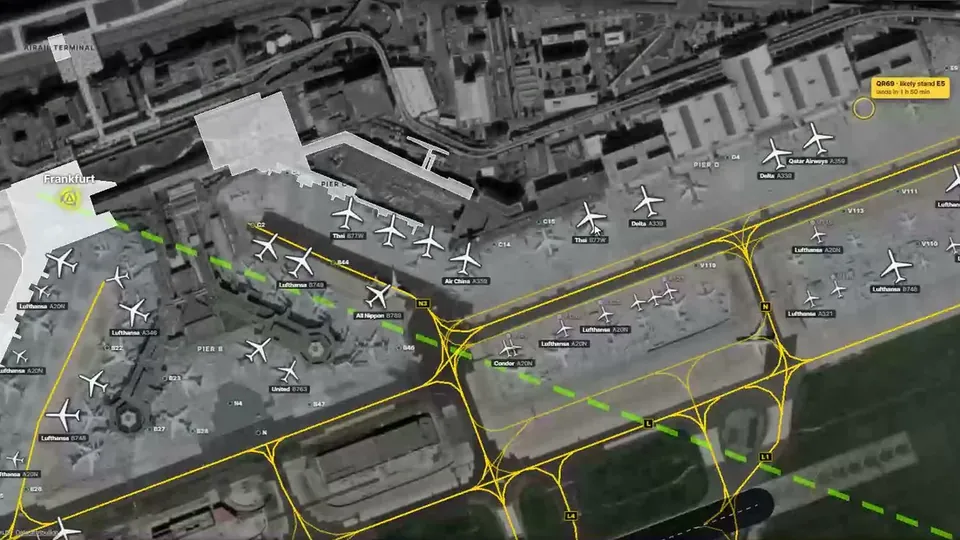
Economy: weather and runways, traffic, ATC and a ground map with stands for your departure and arrival airports.
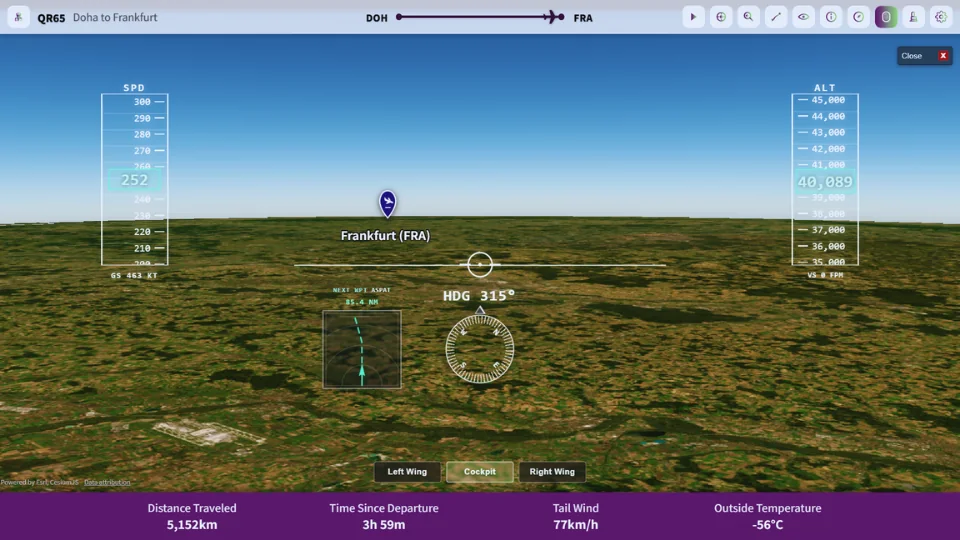
First Class: speed, altitude and heading tapes with a navigation display, for the same VATSIM flight.
A tablet is the classic choice. On a desk stand or kneeboard mount next to the yoke, it shows where you are without covering your panel, and an iPad in Safari or an Android tablet in Chrome both work without an app.
A laptop or a spare monitor gives you the biggest map. If you can, run it on a separate device rather than in a browser window on the simulator PC, so the 3D map doesn't compete with the simulator for graphics power. A TV connected to a laptop makes a fine cabin screen for anyone watching the flight with you. More tips in the iPad, Android and TV setup guide.
Plans
Every account starts with 100 hours of First Class, counted from the moment you turn it on. No card needed. Prices are in USD; VAT is added at checkout where it applies.
Seat58K
See EconomyOr $99.95 once, for life
Cancel future renewals anytime; access stays until the end of the billing period. Compare every feature
FAQ
Yes, as long as the flight is connected to VATSIM. Infinite Aeroshow reads VATSIM network data, so it works with any simulator you can fly on VATSIM, including Microsoft Flight Simulator 2020 and 2024, X-Plane and Prepar3D.
No. Nothing is added to your simulator. You need your usual VATSIM pilot client and a browser on the device you use as the second screen.
No. Infinite Aeroshow shows flights that are live on VATSIM or on Infinite Flight's live servers. An offline or single-player flight has no network data to display.
Any device with a modern browser and WebGL: an iPad, an Android tablet, a laptop, a desktop monitor or a phone. There is no app to download.
Every account starts with 100 hours of First Class for free, counted from when you turn it on, with no card needed. After that, Economy is $1.95 a month or $16.20 a year, and First Class is $2.95 a month, $23.40 a year or $99.95 once. Prices are in USD, and VAT is added at checkout where it applies.
No. Infinite Aeroshow is an independent service by SFN Luca Co., Ltd. and is not affiliated with Infinite Flight LLC or VATSIM.
Departures
| Flight | Destination | Status |
|---|---|---|
| IA 202 | VATSIM live tracker | On time |
| IA 303 | Flight sim tracker | On time |
| IA 808 | MSFS and X-Plane moving map | Now boarding |
| IA 909 | Share your flight live | On time |
| IA 110 | iPad, Android and TV setup | On time |
| IA 220 | Flight sim passenger view | On time |
| IA 404 | Plans and pricing | Gate open |